
Desktop 3D printing has developed from a niche prototyping method into a practical tool for makers, designers, educators, engineers, and small businesses. As more machines offer higher speeds, larger build volumes, multi-color printing, and automated calibration, choosing a suitable desktop 3D printer now requires more than comparing a single specification. Users need to understand how hardware, materials, software, and workflow work together.
Rather than asking which printer is simply the best, it is more useful to ask which technologies address a specific printing need. This approach makes it easier to compare current options and identify the features that matter for everyday use.
What Defines a Modern Desktop 3D Printer?
A desktop 3D printer is generally designed to fit into a home, studio, classroom, workshop, or small professional workspace. Most consumer and prosumer models use filament-based FDM or FFF printing, where thermoplastic material is melted and deposited layer by layer.
Print quality depends on several connected factors. Build volume determines the maximum size of a single model, while nozzle and hotend temperatures affect material compatibility. Automatic bed leveling can simplify setup, and filament detection can reduce interruptions during longer prints.
Speed is another important consideration, but maximum speed alone does not determine practical productivity. Real-world throughput also depends on acceleration, travel speed, setup time, material changes, workflow efficiency, and the likelihood of print failures. A printer that can maintain consistent speeds while minimizing downtime and reducing failed prints may deliver more usable output over time than one that simply advertises a higher maximum speed.
Why Multi-Color and Multi-Material Printing Matter
One of the most noticeable developments in desktop 3D printing is easier multi-color and multi-material production. Traditional single-nozzle workflows can require manual filament changes, while newer systems provide more automated ways to switch between colors or materials.
This capability is particularly useful for decorative models, prototypes, educational projects, signage, and functional parts that require different material characteristics. However, multi-material printing also introduces additional considerations, including tool changes, purge waste, temperature compatibility, and software support.
For this reason, users should evaluate the complete printing workflow rather than looking only at the number of colors a machine can produce. Hardware and slicing software need to work together to make multi-color printing practical.
What Should Users Look for Beyond Print Speed?
Print speed is useful when comparing machines, but it should not be the only purchasing criterion. Build volume can be more important for users who regularly produce large models or several components in one session.
Material compatibility is another key factor. PLA is widely used for general projects, while PETG, ABS, and ASA can serve different functional requirements. A heated bed and suitable hotend temperature can expand the range of materials a printer can handle.
Maintenance and recovery features also affect the overall user experience. Filament detection, automatic calibration, power loss recovery, and nozzle cleaning can reduce the amount of manual intervention required during long prints. These functions become increasingly valuable when a printer is used frequently rather than occasionally.
How Software Has Become Part of the Printing Experience
Modern desktop 3D printing is not only about the machine itself. Slicing software translates a digital model into instructions that the printer can follow, making software an important part of print quality and efficiency.
WonderMaker 3D, for example, provides Wonderprint Orca, a slicing solution based on the Orca Slicer and optimized for its ZR series. The software includes tools for multi-color mapping, material assignments, path planning, and material profiles. Its current development also focuses on broader ZR series compatibility.
The WonderMaker App adds another layer of convenience by allowing users to monitor printer status through a local network connection and access printing history and support functions.
These software features illustrate an important trend in desktop 3D printing: the quality of the overall workflow can be just as important as the mechanical specifications of the printer.
Where Does WonderMaker 3D Fit?
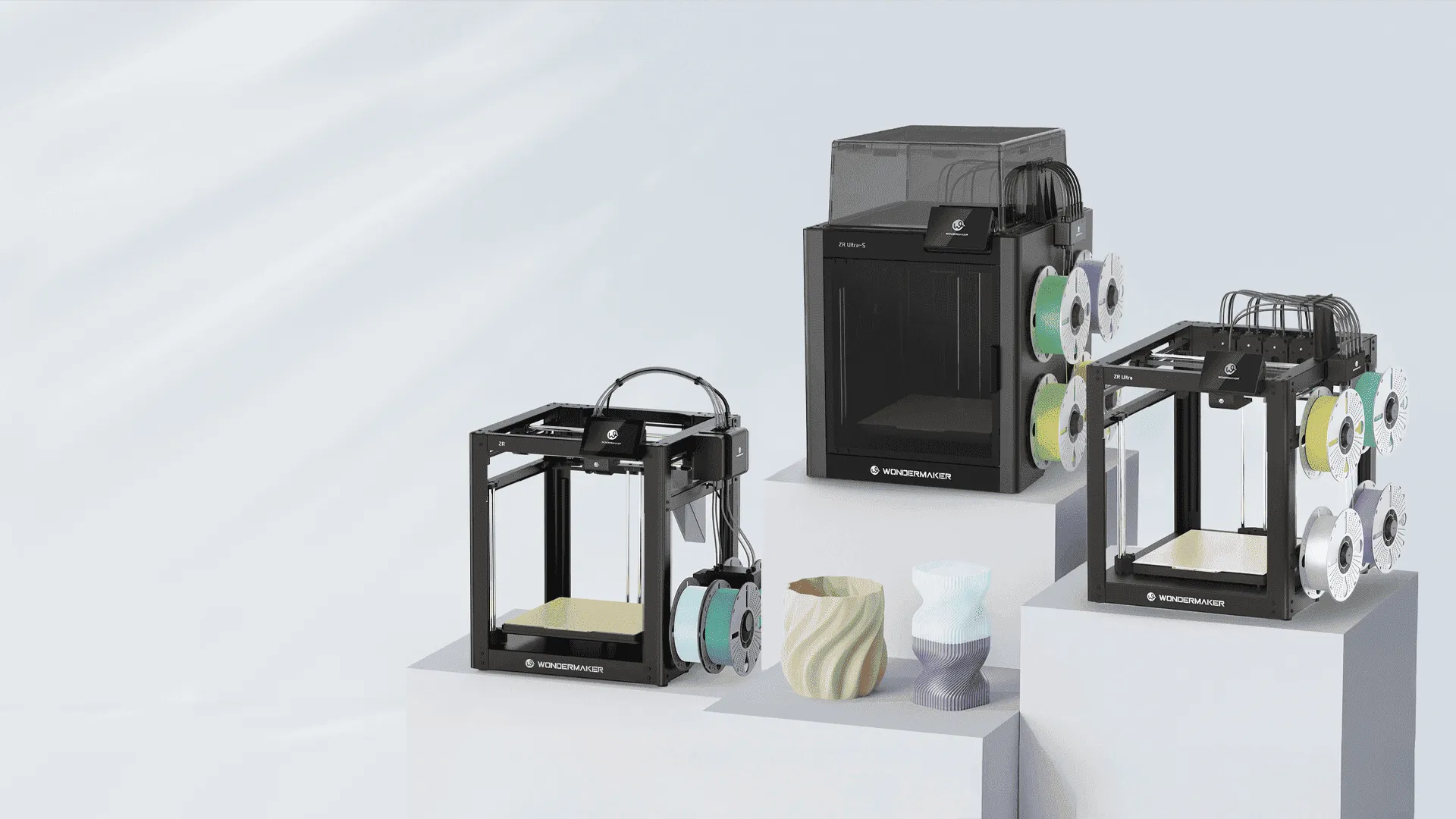
WonderMaker 3D focuses on multi-head and multi-color desktop printing. Its current ZR range includes the ZR, ZR Ultra, and ZR Ultra S models.
The ZR supports four-color printing with a 300 × 300 × 300 mm build volume, while its specifications also include a 300°C hotend, a 100°C heated bed, automatic leveling, and filament detection.
For users interested in multi-toolhead printing, the ZR Ultra uses four independently heated toolheads and supports a 300 × 270 × 290 mm printing size. It also provides automatic leveling, filament detection, and power loss recovery.
These features make WonderMaker 3D a relevant example of how desktop 3D printers are moving toward more integrated multi-color, multi-material, and automated workflows. The right choice, however, still depends on the user’s materials, project size, desired workflow, and level of technical involvement.
Choosing the Right Technology for Your Projects
The most suitable desktop 3D printer depends on what you intend to make. A beginner producing simple household models may prioritize straightforward calibration and reliable PLA printing. A designer working on prototypes may need a larger build volume and broader material compatibility. A creator producing colorful models may place greater value on automated color switching and multi-material capabilities.
It is also worth considering the entire ownership experience. Availability of materials, software updates, replacement parts, documentation, and technical support can affect long-term usability. A printer should therefore be evaluated as part of a complete ecosystem rather than as an isolated piece of hardware.
Looking at the Desktop 3D Printing Landscape
Current desktop 3D printing technology is evolving across several areas that directly affect printing performance and ease of use. Faster motion systems, larger build areas, automated calibration, multi-color capabilities, improved material handling, and connected software are becoming important parts of the overall experience.
For buyers, the most useful question is not simply which machine has the highest specification. Instead, consider how well its hardware and software support the type of objects you want to produce. By focusing on build volume, materials, color requirements, automation, software, and maintenance, users can make a more informed decision and choose a desktop 3D printer that fits their actual workflow.
